1
Build from your career
Add your experience, education, and skills once - they live in your Career Library for every CV that follows.
Start with your history

Create a strong CV, match it to a job, bring your most relevant experience forward, and approve every AI improvement before you apply.

How it works
One career history, tailored and checked before it becomes a CV you send.
Add your experience, education, and skills once - they live in your Career Library for every CV that follows.
Start with your history
Attach the job posting, see what matches and what's missing, then bring the right experience forward.
Fit this application
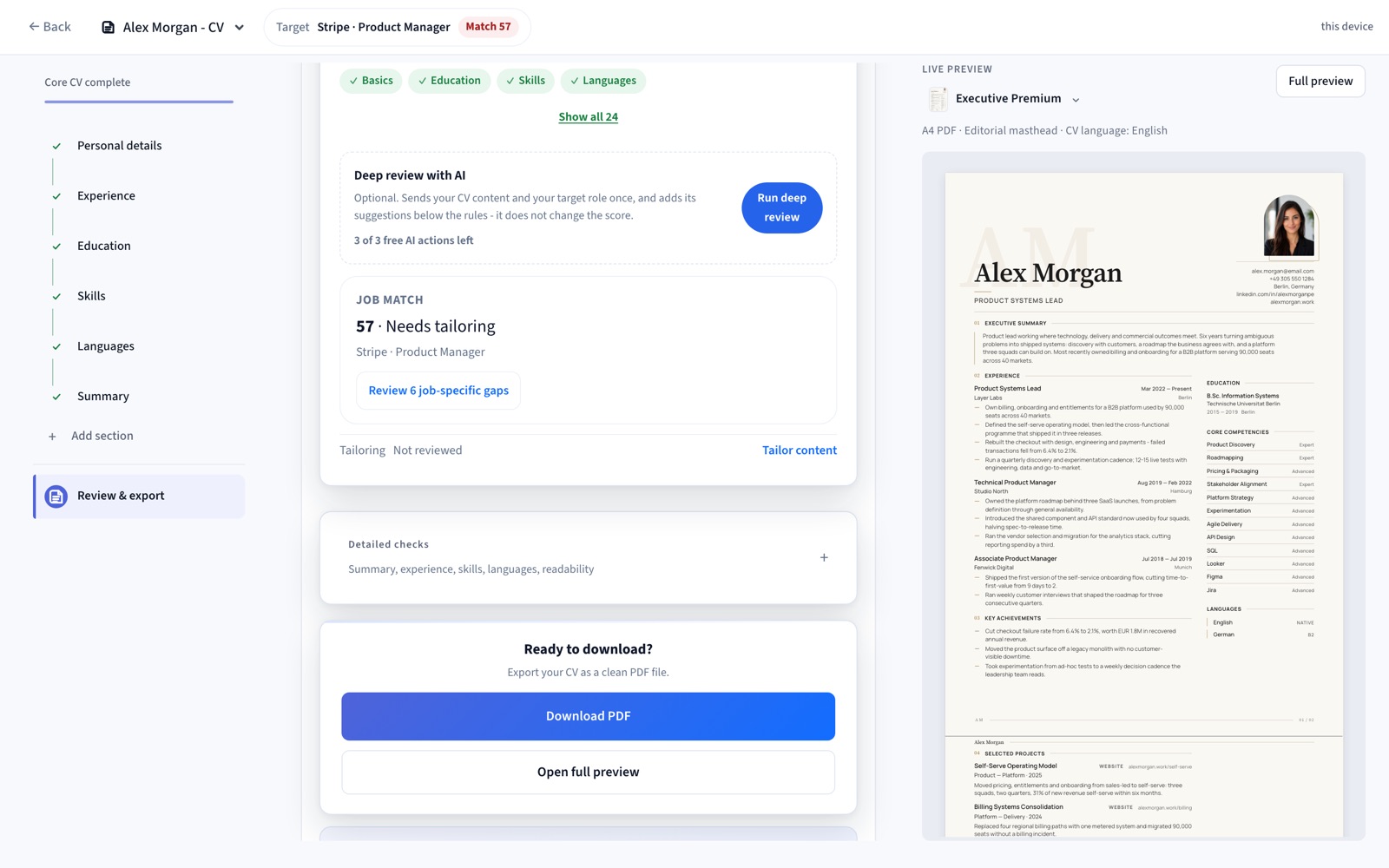
Catch issues before you send, then export a clean, ATS-friendly PDF.
Export when ready
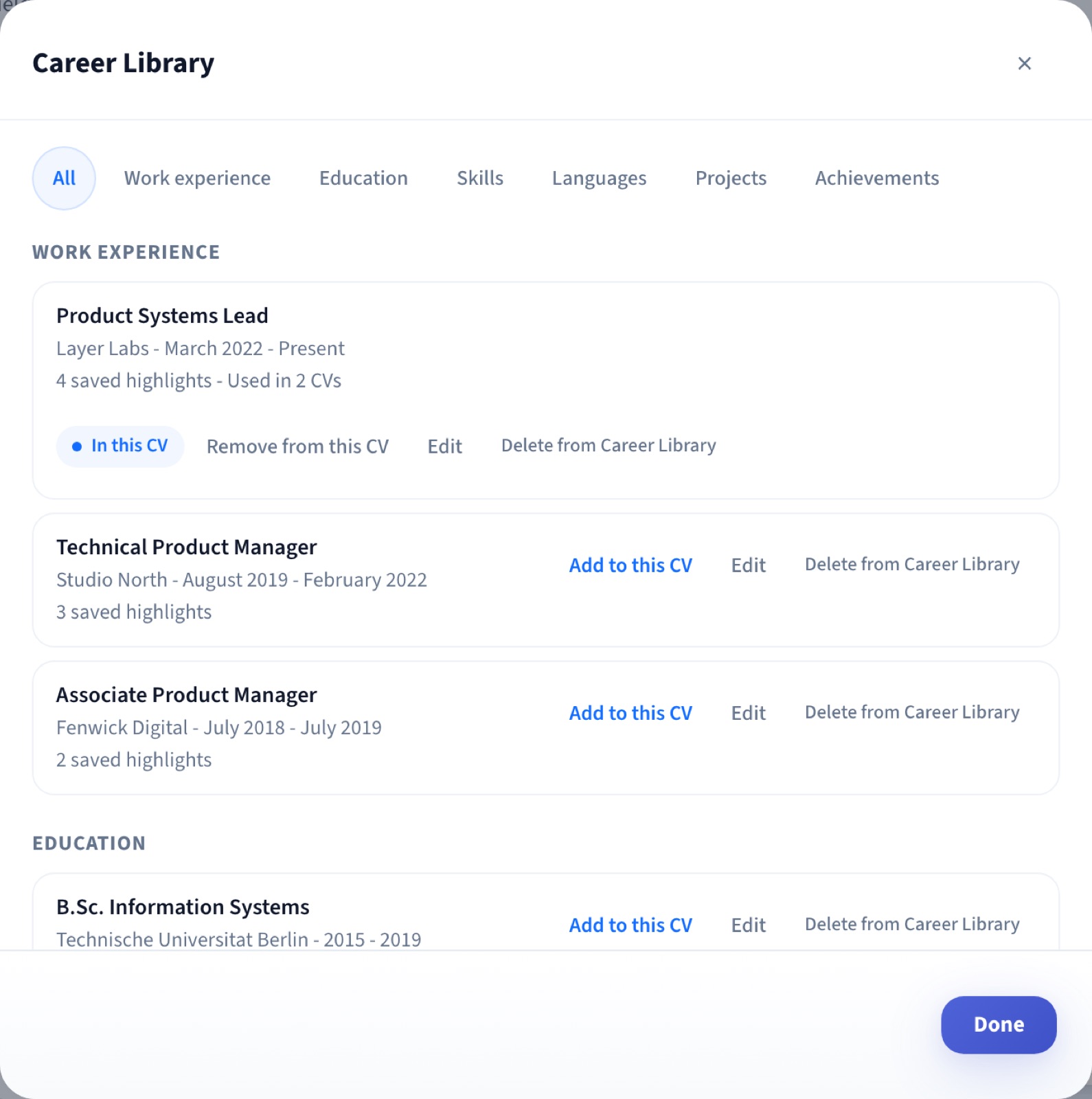
Career Library
Every role, bullet, and skill you've ever added lives in one place. Reuse the right parts for each new CV instead of retyping your history every time you apply.
Build from it once. Draw on it for every CV that follows.
Target Job + Job Match
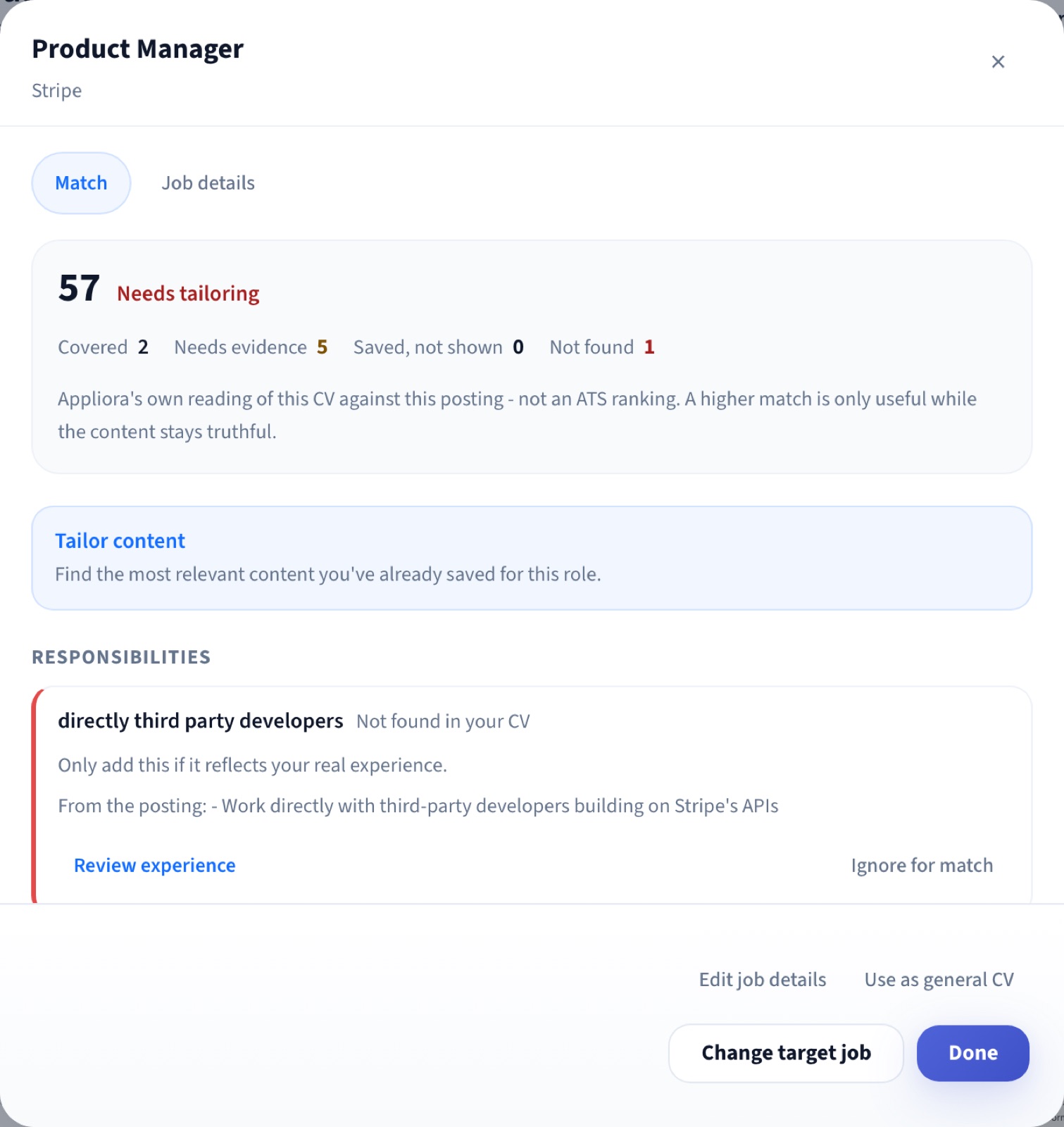
Tell Appliora which job you're applying for. It reads the posting and separates what's already covered, what needs stronger evidence, and what's missing - its own reading of your CV, not an employer's ATS ranking.
A higher match is only useful while the content stays truthful - Appliora never suggests adding something your CV doesn't actually support.
Tailor Content
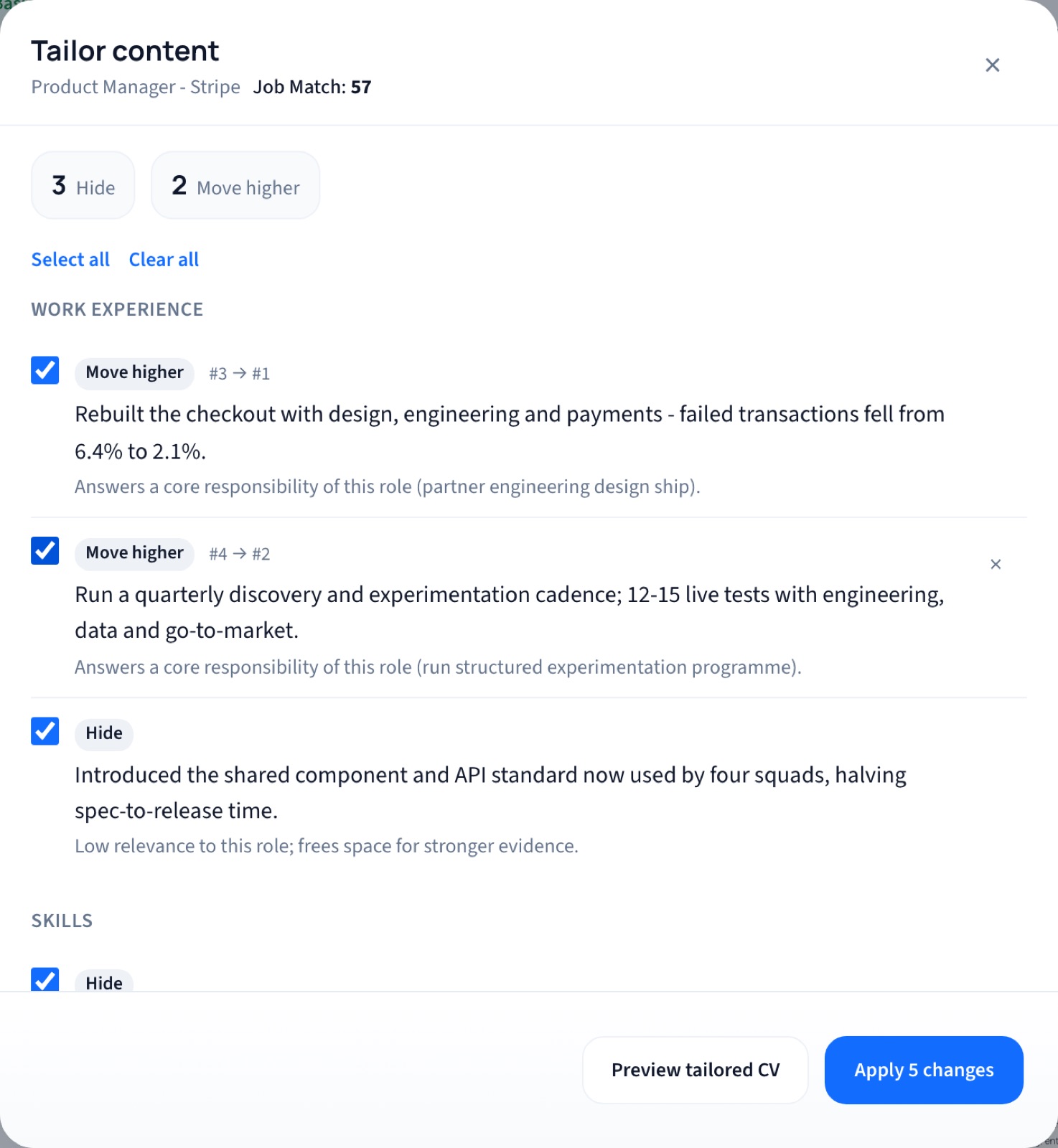
Appliora looks through the experience you've already saved and recommends what to include, hide, or move higher for this specific job. Nothing changes until you review it.
Applying these changes only updates this CV. Your Career Library stays unchanged.
AI Review
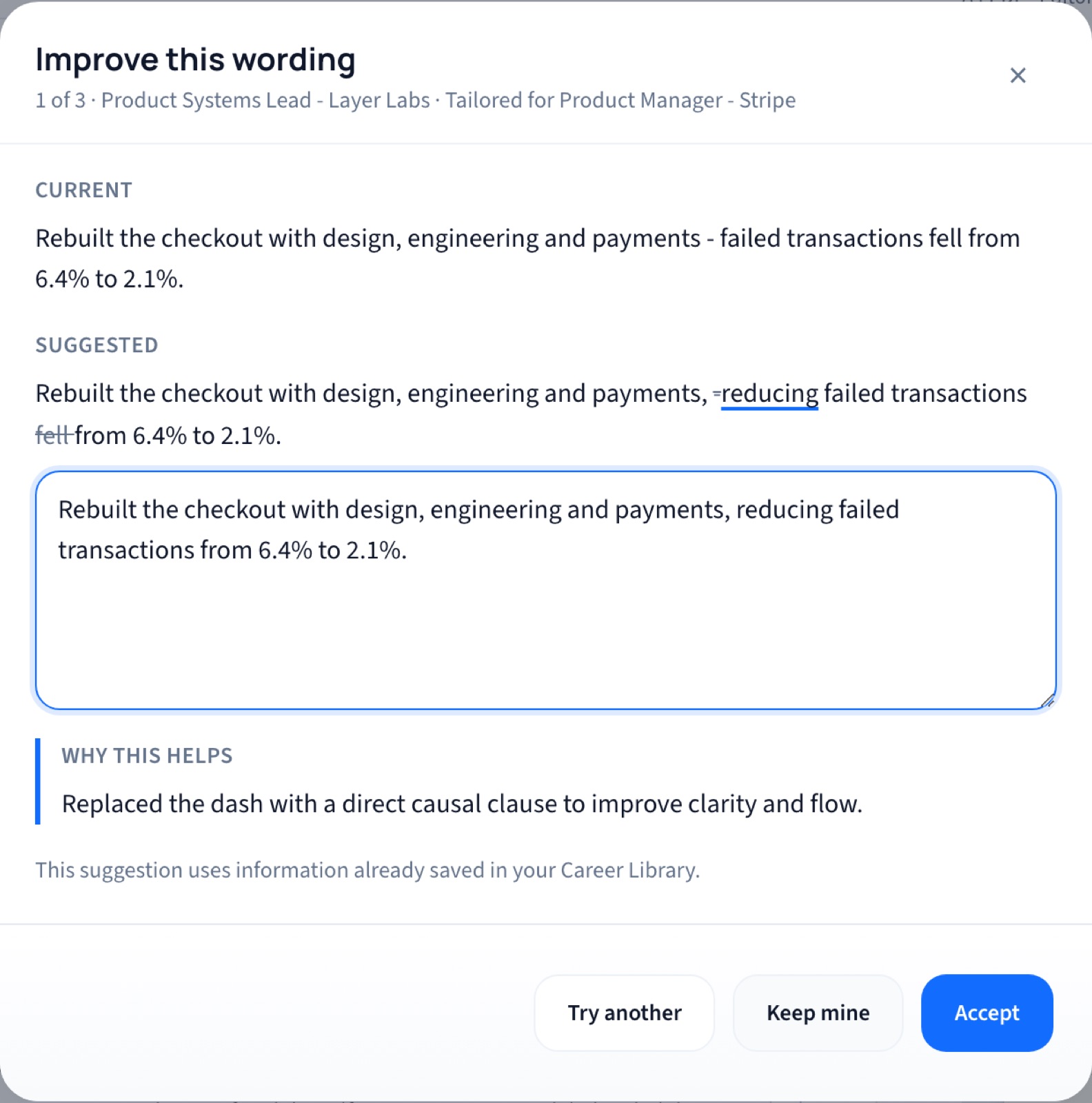
Every AI change shows what you wrote, what it suggests, and why - side by side. Accept it, keep your own wording, or try another. One change at a time, never a silent rewrite.
Suggestions are grounded in the experience you've provided and shown to you before they're applied.
CV Check
Not just a score - specific findings, why each one matters, and where it sits in your document.
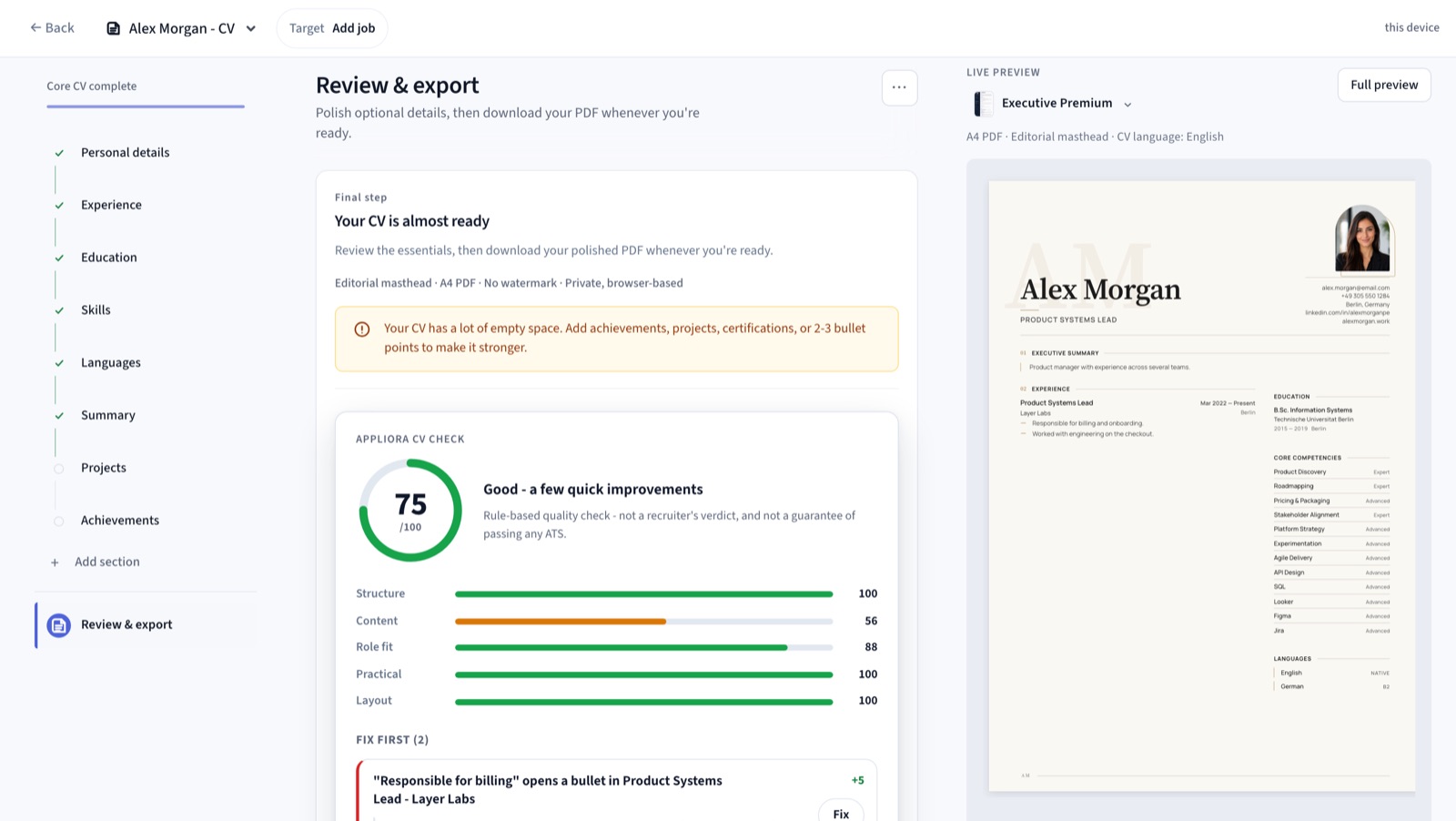
What's included
Every change is re-scored as you type - text layer, reading order, contact details - so problems get fixed before you apply, not after the silence.
Check a CV you already have →A letter drafted from your CV and the job ad, in the same tone and template family - edit it, then send both together.
Learn about cover letters →The document updates as you type - what you see is the PDF you export.
Open the builder →Write your CV in any of 20 languages and switch the language anytime.
More languages comingClean, ATS-friendly layouts - switch anytime, your data stays.
Browse templates →Why Appliora
Most CV builders make you fill out long forms before showing the real cost. Appliora lets you build first, preview live, and unlock export only when you're ready.
How it usually goes
Fast, transparent, and built around live preview
Product feedback
Job seekers use Appliora to build cleaner CVs, preview changes live, and download polished PDFs when they are ready.
Honestly didn't expect much, but my CV looked way more professional after maybe 15 minutes. The live preview is what sold me.
I'd tried two or three CV builders before this one. This felt so much cleaner, no clutter fighting for attention.
Being able to build the whole thing first and only pay when I actually wanted the download felt fair to me.
Did most of my edits on my phone and nothing broke, which honestly surprised me.
Pricing
Build your CV for free, preview it live, and unlock PDF export only when your CV is ready.
Free
Create and preview your CV
$0
Full builder, 16 templates, CVs in 20 languages and live preview - free. Pro unlocks the PDF export.
Limitations
Pro
Export, polish, and apply faster
$2.49 today
Then $24.99/month after 7 days, unless cancelled.
Secure payment via Stripe
7-day full access
One payment for the whole job hunt sprint
$9.99 once
One-time payment - no subscription, no renewal. Access ends after 7 days.
Review + Export
A clean, ATS-friendly PDF, whenever you're ready.
Most people finish in under 10 minutes.


